 ImmichBar
For Immich on the Mac
Your Immich server, one click away.
ImmichBar lives in your menu bar and looks after Immich, the self-hosted photo library. Set it up on your Mac, start it, update it, back it up, and see every Immich server in the house.
Version 0.1.0 · 4 MB · macOS 15 or later · Apple silicon and Intel · Free.
Signed and notarized by Apple.

What it does
Everything you'd otherwise do in Terminal.
Immich runs in Docker. ImmichBar handles the Docker parts for you, and talks to Immich itself for everything else.
- 01
Set up Immich in a few clicks
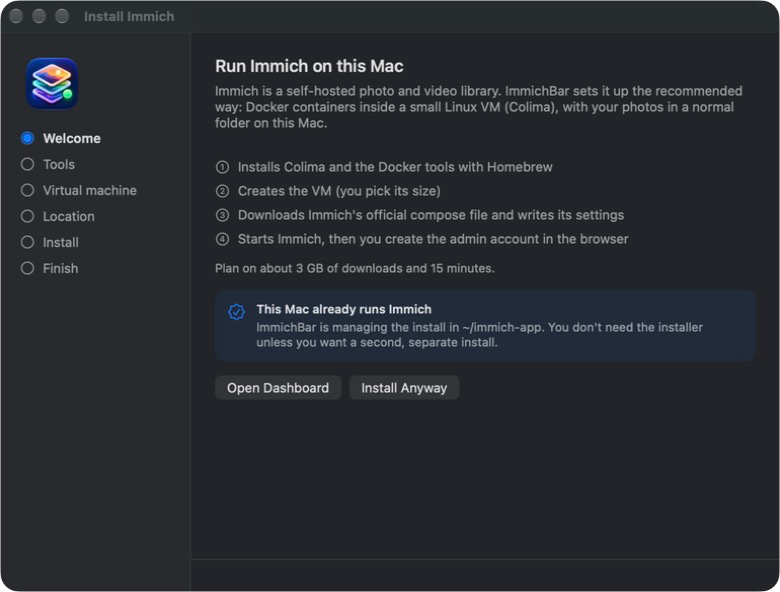
The installer adds Colima and the Docker tools with Homebrew, sizes the virtual machine, downloads Immich's official compose file, and puts your photos in a folder you choose. Already running Immich? It finds your install.
- 02
Start, stop and restart
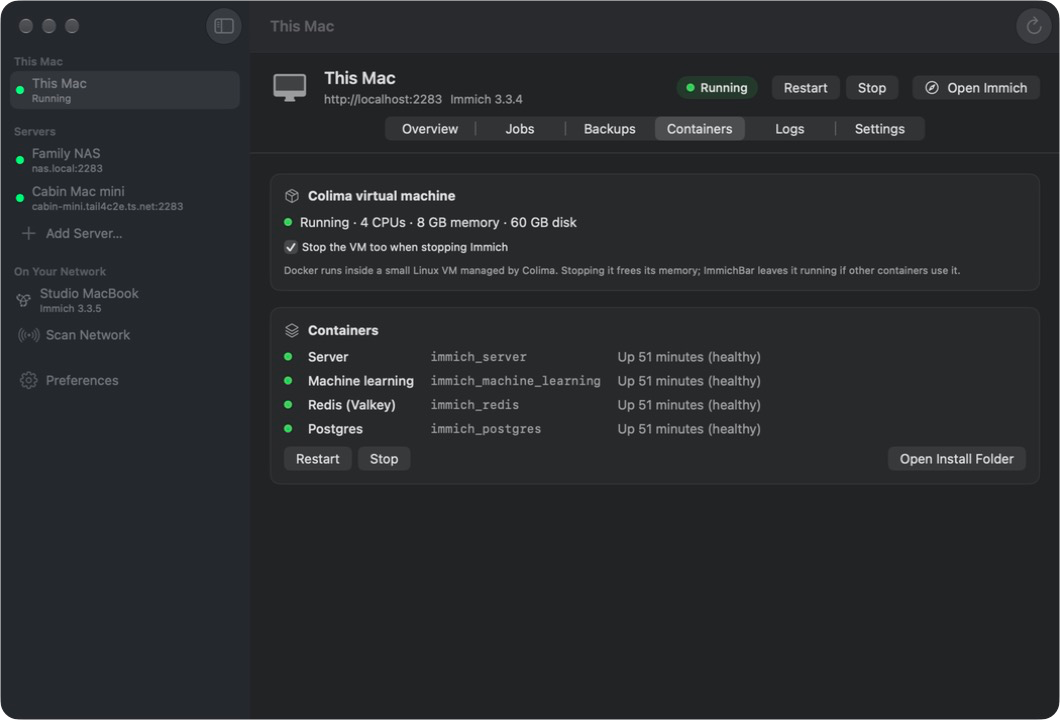
From the menu bar. The dashboard shows each of Immich's four containers and whether it's healthy, plus live logs when something looks off.
- 03
Updates with a safety net
See when a new Immich release is out and read the notes. One click backs up the database, pulls the new version and restarts. Major versions get a warning instead of an automatic upgrade.
- 04
Your library at a glance
Photos, videos, storage per person and free disk space, for every server you connect with an admin account.
- 05
Jobs and backups
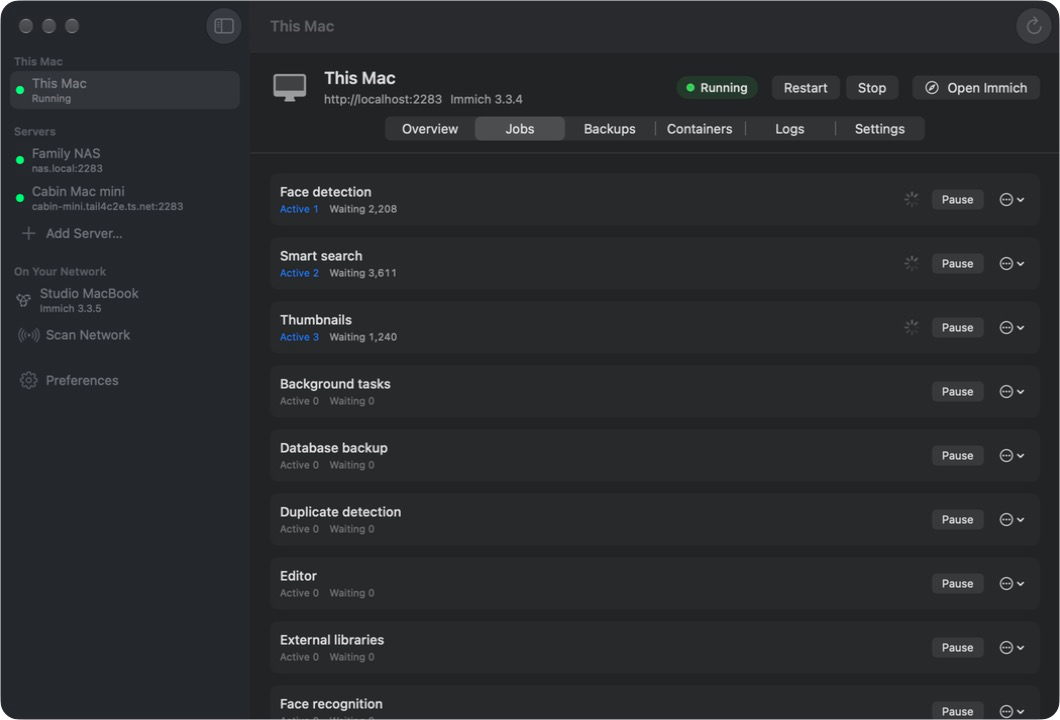
Watch thumbnails, face detection and smart search work through a big import, and pause or resume them. List Immich's database backups, start one, or download a copy.
- 06
Every server, anywhere
Your Mac announces its server over Bonjour, a quick scan finds Immich on the rest of your network, and you can add any server by address, at home, over Tailscale, or on the internet.
Your photos stay yours.
ImmichBar talks to your Immich servers, and to GitHub to check for new Immich releases. The installer also uses Homebrew and downloads Immich's own setup files. No account, no ads, no analytics. API keys are kept in your Mac's Keychain, and when you sign in, your password goes only to your server.
Screens
A dashboard for the server in the closet.
Get started
Up and running in three steps.
Install ImmichBar
Open the download and drag ImmichBar to Applications. Then open it: it lives in your menu bar.
Set up or find Immich
New to Immich? The installer walks you through it. Already running it, here or elsewhere? ImmichBar finds it, or add it by address.
Connect your account
Sign in once with your Immich admin account. ImmichBar makes its own API key so it can show stats, jobs and backups.
- A Mac with macOS 15 Sequoia or later, Apple silicon or Intel.
- To run Immich on this Mac: Homebrew (the installer explains how to get it), 8 GB of memory or more, and room for your photos.
- To watch other servers: nothing else. Any Immich server you can reach works.
ImmichBar-0.1.0.dmg · SHA-256 d93c65717e6835026ecd61a474efc9fc0cfdb8d2a1286e40e60a0268ad45f970